
Hi there!
Today, I am writing about what apps I use to edit my Instagram photos because I get this question so often! (Also, for those who have asked, I take most of my pictures from my Canon Rebel T6i, but lately it has been more convenient to use my phone.) While my editing style may not be for everyone, the apps that I use are. They each have features to make your photos unique and truly set them apart from anyone else’s.
I think it is safe to say that we live in a very visual society. We love a “pretty” Instagram feed. We love vivid colors and muted tones. We love bright and airy photos and dark, dramatic edits. We love monochromatic themes and multi-colored displays. The options are endless, and the trends are constantly changing.
So whatever your photo style and preferences are, these apps will be beneficial to you for quick edits straight from your phone. Here they are!
PicsArt
PicsArt is an app that I love to use in place of a Photoshop-like program. It has a clone tool, blur options, cosmetic touch-ups, collage creation, overlay options, and so many more. It is an app that I use regularly for various features (mostly clone), and while it is not the most ideal layout, it is a free app that does exactly what you need it to!

Lightroom
I love Lightroom! I could not make a blog post about photo editing apps and leave out my favorite one. Luckily, the mobile version of Lightroom is FREE! This is so nice since the desktop program is over $100 annually, and I am just not ready to spend that much money on a software that I find more convenient to have on my phone anyway at this point in my life. Maybe someday, though!
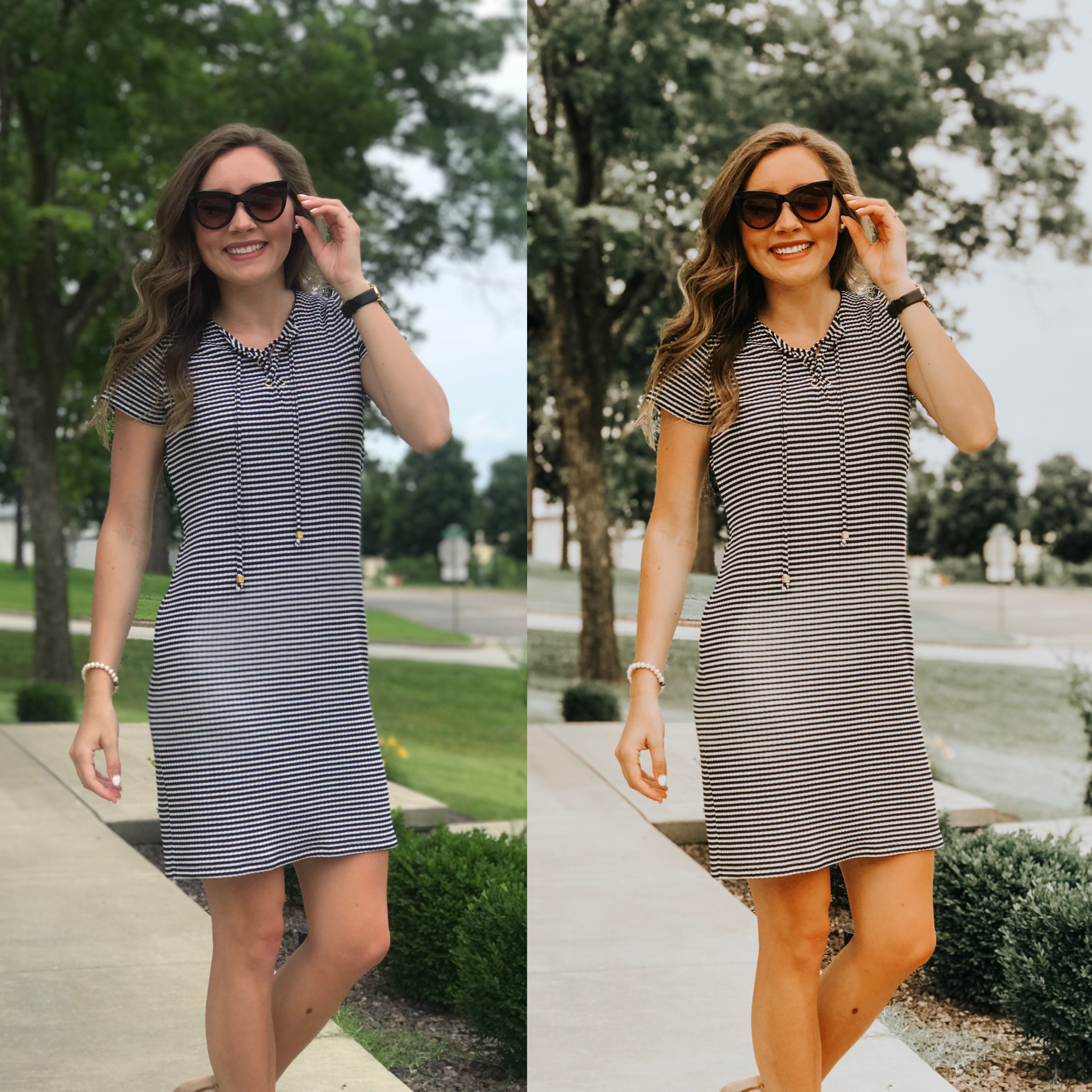
One of the greatest parts about Lightroom is the option to use presets—especially when editing a batch of photos at one time. Presets are combinations of settings that can be copied and applied to multiple photos. Presets are in DNG file format, and there are many free and purchasable presets to be found online. One of my favorite places to find free presets is the YouTube channel, PlanetEris. You can also make your own original presets by playing around with Lightroom settings until you find a combination that fits the style you are aiming for. There are many YouTube videos that teach you how to create your own presets and how to download others’ presets directly to the app.
Many will argue against using presets in professional photography, and I completely understand why. But for my personal purposes, having a preset to use and then adjust for any Instagram photos is so useful and time-efficient.
ColorStory
ColorStory is a handy app for batch editing that could easily be another option in place of Lightroom. It has several free options and the ability to save certain settings as ‘favorites.’
If you’re not into messing with presets, ColorStory has great filters for your photos. There are also several overlay features that give a little something extra to your photos.
ColorStory also has a great interactive ‘grid’ feature that allows you to either sync with your Instagram account or place photos directly from your camera roll into it in order to get a visual of what your feed will look like before you even post anything. This app also lets you schedule posts; however, I have found that I do not use this feature nearly as much as I expected to since it is not the easiest as far as post customization is concerned.

That’s all I have for you today! These are my go-to apps for quick, easy editing that will have a photo Insta-ready in a matter of seconds. I hope you will consider these apps if you are looking for new photo-editing methods!
Thanks for reading, and feel free to share on social media!
Until next time,
Annie Lark
“No one can serve two masters, for either he will hate the one and love the other, or he will be devoted to the one and despise the other. You cannot serve God and money.”
Matthew 6:24

 ANNIE BOYD SOWELL